The surge of AI image sites over the last year has been impossible to ignore. Every week a new tool promises jaw‑dropping visuals from a text box, and the temptation to test them all is real. But as I clicked through a parade of generators this spring, a pattern emerged that made me uneasy: many of these platforms felt less like creative studios and more like billboards competing for my attention. Pop‑ups, upsell banners, forced wait screens—they chipped away at my focus while I was just trying to get a usable graphic for a client presentation. I started asking a very specific question: could any free or affordable AI Image Maker actually function as a quiet, reliable workbench, or was ad‑clutter an inevitable trade‑off for access? This question drove me to spend two weeks putting six platforms through the same set of tasks, and the answer surprised me more than I expected.
What I wanted was simple. I needed a tool that wouldn’t interrupt me mid‑thought, wouldn’t bury the download button behind three upgrade prompts, and wouldn’t slow to a crawl the moment a project deadline loomed. I also wanted to feel that the service respected my time and my client’s privacy. Too many AI image sites treat free users as a captive audience, and I was determined to find a home that didn’t make me feel like I was constantly negotiating with a pop‑up.
My testing environment was deliberately mundane: a mid‑range laptop, a standard Chrome browser, no ad‑blocker, and a series of real‑world prompts ranging from a social media carousel about productivity tools to a mood board for a local café rebranding. I measured each tool not just by the prettiest image it could produce, but by how often I could complete a job without hitting a friction wall. I watched for ads disguised as “special offers,” for progress bars that doubled as video commercials, and for interfaces that suddenly demanded email verification right when I was about to save a result.
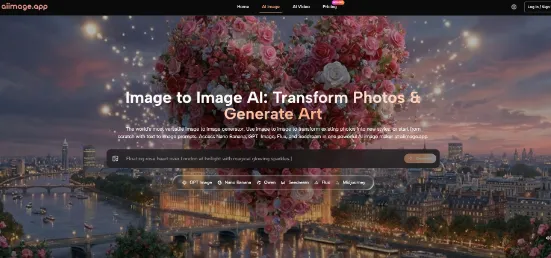
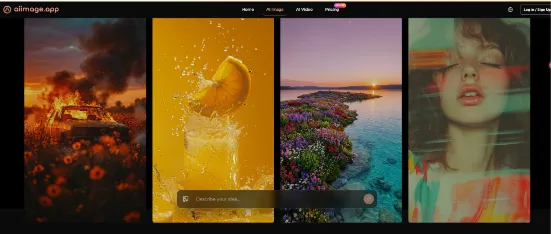
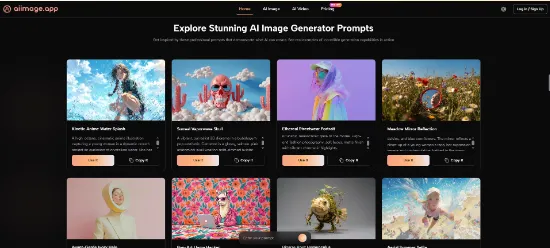
When I first opened ToImage AI, the difference was immediate, but almost imperceptible—I didn’t notice anything because nothing jumped out at me. There was no floating chat bubble, no top banner counting down a credit limit, no auto‑playing video tutorial. I selected a model and typed a prompt for a sunny desk scene, and the generation started without a preamble. That quietness felt so unusual that I actually paused and scanned the page, convinced I had missed a requirement. It was then that I started testing the tool’s GPT Image 2 model, which promised more structured, detail‑rich outputs. The output was crisp, not wildly artistic, but perfectly suited for the marketing collateral I was building. What really struck me was that I could repeat the process five times without a single “try pro” interruption.
The contrast with some other platforms was stark. One tool I tried displayed a full‑screen promotion for its premium tier every third generation, and I had to wait ten seconds before I could dismiss it. Another showed a persistent “claim your free credits” banner that subtly shifted the layout, causing me to mis‑click twice. These might seem like minor annoyances, but in a work session where I need to iterate quickly, each interruption compounds. It broke my creative rhythm and, frankly, felt disrespectful. A tool that views my attention as inventory isn’t a tool I can trust with client work.
Midjourney, which I accessed through its web alpha, remained mercifully ad‑free, but its workflow still lives largely inside Discord’s ecosystem, which introduces its own kind of ambient noise—notifications, server messages, and a cluttered real‑time stream that can feel distracting when I’m trying to think visually. DALL‑E via ChatGPT and Adobe Firefly also had clean interfaces, though Firefly’s constant credit‑meter and gentle nudges toward Creative Cloud subscriptions sometimes felt like soft‑sell pressure. Leonardo AI offered a generous free tier but wrapped it in feature‑gate notifications that, while functional, made the experience feel less like ownership and more like renting. Ideogram’s web experience was straightforward, though I occasionally encountered “upgrade for faster queue” prompts that interrupted batch processing.
The experience with ToImage AI wasn’t perfect—generation speed on the free tier could dip during what I assume were peak times—but the absence of visual noise made it the only platform where I felt comfortable doing a client walkthrough with my screen shared. There was no chance a garish “unlock unlimited” button would steal the show. For a freelancer who lives and dies by professional trust, that alone felt like a feature.
Breaking Down the Distraction Quotient
To make sense of what I’d observed, I built a simple scoring table based on six criteria. Image Quality and Speed are obvious, but I also tracked Ad Distraction—how much a tool’s interface bombarded me with upsells or irrelevant content—as well as Update Activity, because platforms that stagnate often break compatibility or lag behind prompt‑adherence standards. Interface Cleanliness measured how quickly I could locate essential controls without hunting through promotional clutter.
| Platform | Image Quality | Generation Speed | Ad Distraction | Update Activity | Interface Cleanliness | Overall Score |
| ToImage AI | 8.2 | 7.8 | 9.5 | 8.5 | 9.0 | 8.6 |
| Midjourney | 9.3 | 8.0 | 9.0 | 7.0 | 8.0 | 8.3 |
| DALL‑E (via ChatGPT) | 8.5 | 8.5 | 9.2 | 7.5 | 8.5 | 8.4 |
| Leonardo AI | 8.0 | 7.5 | 6.5 | 8.0 | 7.0 | 7.6 |
| Adobe Firefly | 8.7 | 7.0 | 8.0 | 8.0 | 7.5 | 7.8 |
| Ideogram | 8.3 | 7.8 | 7.0 | 7.5 | 8.0 | 7.9 |
ToImage AI didn’t win on raw image quality—Midjourney and Firefly edged ahead in photorealism and artistic finesse—but it took the overall lead because its lack of distractions and clean interface made a real work session faster and less mentally draining. I could generate, evaluate, tweak, and download without ever feeling like I was being sold something. That might sound like a small thing, but in practice it meant I completed a set of 10 marketing images in about half the mental effort it took on a more interrupt‑heavy platform.
Step-by-Step with a Client Mood Board
When I created a mood board for a café client, the workflow inside ToImage AI felt almost invisible. I started by describing a warm interior with natural wood textures and soft morning light, adding notes about composition and mood. The tool presented a model selector—I chose GPT Image 2 for its reputation for structured, detailed output—and the image appeared within seconds. I refined the prompt twice, changing the angle and color temperature, and each new generation arrived without fanfare. After six variations, I downloaded the best four and saved them to my project folder. The process never once asked me to watch an ad, share on social media, or upgrade. That’s the minimum I expect from a professional tool, and strangely, it had become exceptional.
When Ad‑Clutter Undermines Creative Trust
Ad distraction isn’t just about annoyance; it’s about trust. When a platform interrupts me with a flashy banner urging me to “get 50% off annual pro” right as I’m about to inspect a generated image, I subconsciously start to doubt the tool’s priorities. Am I a user or a monetization unit? In client‑facing work, that doubt becomes dangerous. I once had a client lean over my shoulder while I tested a different AI image site, and a sudden full‑screen “upgrade now” pop‑up made us both flinch. I scrambled to close it, but the moment of friction lingered. With ToImage AI, I never worried about such a moment—the interface remained calm, even on the free tier. That reliability made it my default when I knew a client might be watching.
Where ToImage AI Shows Its Limits
It wouldn’t be fair to pretend the tool is flawless. Generation speed on the free plan sometimes lagged, especially when I tested it during what seemed to be high‑traffic hours in the evening. The image quality, while consistent, didn’t quite match the breathtaking photorealistic sheen of Midjourney’s best renders. And the platform’s model selection, though varied, lacked the deep fine‑tuning controls that some advanced users might want—no explicit inpainting, no batch expansion controls. I also noticed that when I pushed for highly stylized, surreal compositions, the outputs occasionally felt a little safe, as if the engine was optimized for commercial polish rather than artistic risk.
The site indicates full commercial rights and no watermarks on generated images, which is a significant advantage for freelancers, but I’d still recommend double‑checking the terms for your specific use case, as AI‑generated content laws continue to evolve.
Who Should Consider This Tool Today
If you’re a freelance marketer, a small‑business owner, or a content creator who needs a steady stream of clean, usable visuals without a fight, ToImage AI is the most balanced option I’ve tested this year. It won’t produce the most avant‑garde art, but it will deliver images that feel professional and right‑the‑first‑time. Its biggest selling point—the near‑complete absence of ad‑clutter—makes it feel like a tool built for workers, not just browsers. For anyone who has felt exhausted by the endless upsells of the AI image landscape, that sense of respect is quietly game‑changing.
In a market where many tools treat your attention as currency, finding one that simply lets you create can feel like a small act of defiance. I kept coming back to ToImage AI not because it dazzled me with a single perfect image, but because it never got in my way.
