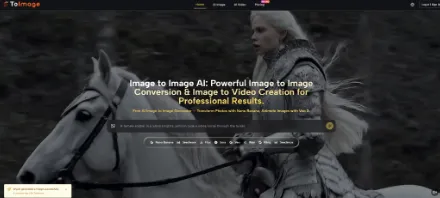
The AI image generation space is crowded right now. New models land every few weeks, and most platforms respond the same way — add the model to a dropdown, call it an upgrade, move on. What is rarer is a platform that actually rethinks the workflow around those models rather than just hosting them. That tension — between raw model access and usable creative flow — is exactly what brought me to spend time with Image to Image, a platform that positions itself not as a simple generator but as a transformation-first environment where a single uploaded photo can be the starting point for both still images and animated video.
The question worth asking is not whether the underlying models are impressive (they are, by name at least — Nano Banana, Flux Kontext, Veo 3, Kling, Seedream, and more). The real question is whether the platform wraps them in a workflow that actually serves creators, or whether it is just a model aggregator with a clean coat of paint.
The Core Premise: Transform First, Generate Second
Most image tools start with a blank canvas and a prompt box. This platform starts differently — it is built around the assumption that you already have a visual asset and want to do something significant to it.
The image-to-image concept here means you upload a source photo or illustration and describe the transformation: change the art style, shift the lighting, swap the setting, reimagine the subject entirely. The output is not a random generation — it is a directed evolution of something you already own. That distinction matters for practical workflows, particularly in marketing and content production, where brand-adjacent visuals need to stay recognizable even after transformation.
What makes the approach more interesting is Nano Banana’s support for up to four reference images simultaneously. In my testing, the ability to feed multiple references into a single generation task addresses one of the most persistent frustrations with AI image work: character and style drift. When you are building a series — product visuals, social posts, sequential scenes — maintaining consistent lighting, proportions, and mood across generations is genuinely difficult with single-prompt tools. Multi-reference input is a practical answer to that problem, not a marketing claim.
How the Platform Works in Practice
Step 1: Choose Your Direction — Image or Video
Two Distinct Creative Paths From One Interface
The navigation separates into AI Image and AI Video sections. Before uploading anything, you decide which output type you are working toward. This is a meaningful structural choice — it determines which models are available and what your prompt will be optimized for. Image paths surface models like Nano Banana, Flux Kontext Pro, Seedream, GPT-4o, and Grok Imagine. Video paths open Veo 3, Kling, Seedance, Wan, and Runway Gen 4. The separation prevents confusion between generative tasks that require fundamentally different prompt logic.
Step 2: Upload a Reference and Describe the Transformation
Prompt Quality Determines Output Quality
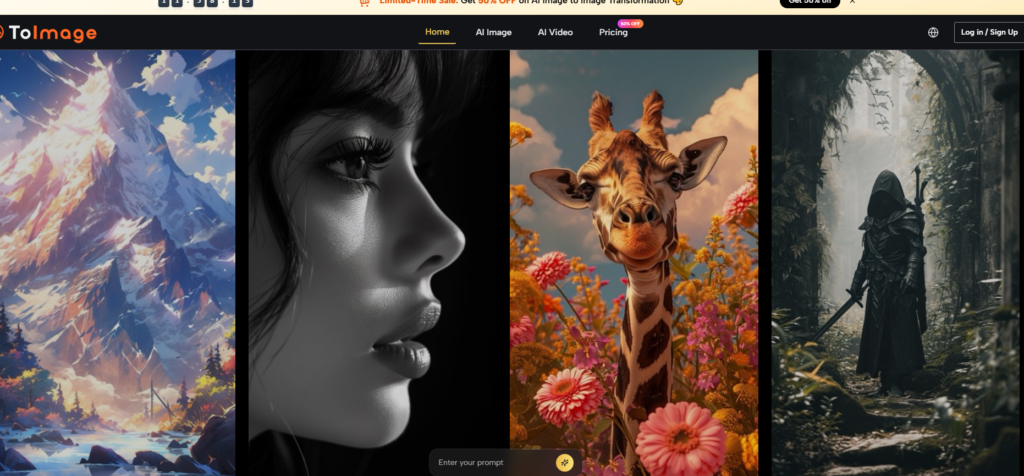
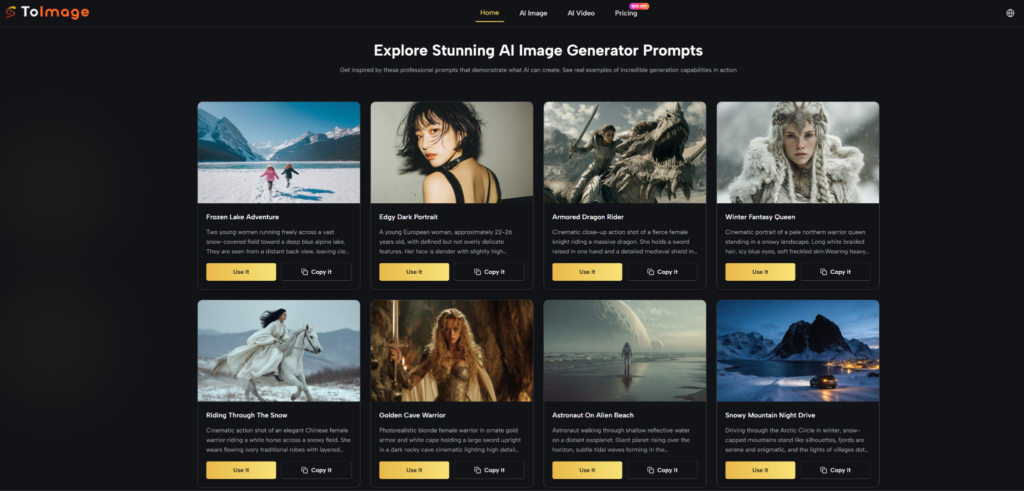
This is where the platform’s learning curve lives. Uploading an image is instant. Writing a prompt that actually guides the transformation toward what you want takes more thought. From a practical user perspective, the difference between a vague prompt (“make it look cinematic”) and a structured one (describing specific lighting conditions, color palette, subject behavior, and atmosphere) is significant. The example prompts displayed on the homepage are genuinely instructive — they are detailed, scene-specific, and stylistically precise in ways that demonstrate what the models respond to best. It appears that users who study those examples before building their own prompts get more consistent results.
Step 3: Select a Model and Generate
Model Choice Has Real Practical Consequences
Nano Banana is positioned for hyper-realistic image transformation with strong reference adherence. Nano Banana 2 adds resolution control — 1K, 2K, or 4K output — and batch generation of up to four images per request. Seedream is described as the faster option for high-volume iteration. Flux Kontext targets surgical edits: text overlays, object-level changes, style adjustments that leave surrounding areas intact. Each has a different credit cost, which is worth factoring into how you plan a session. Veo 3 on the video side is notable for native audio generation — described as automatically producing synchronized dialogue, ambient sound, and effects from the video content, which is a capability not common among image-to-video tools.
Scenario Breakdown: Where the Platform Fits Well
Social Media Content Batching
For creators who need multiple visual variants from a single photo shoot, the image-to-image workflow with Nano Banana’s multi-reference input offers a practical production path. You can explore different moods, seasonal aesthetics, or audience segments from the same source asset without returning to the camera. The result quality may vary depending on how complex the source image is and how precisely the prompt is written, but the structural workflow — one source, multiple outputs — is well-suited to content calendar production.
Marketing and Product Visualization
Image to Image AI appears designed with marketing use cases in mind. The ability to place a product reference into lifestyle contexts, generate setting variations, or apply brand-adjacent stylistic treatments without a full photoshoot budget is genuinely useful. Flux Kontext’s context-aware editing — where specific elements can be modified while surrounding composition is preserved — is particularly relevant for product image work, where changing a background or adding text overlay without distorting the product itself is a common requirement.
Animated Social Content
The image-to-video path with Veo 3 covers a use case that is growing rapidly on short-form platforms: turning a strong still image into a moving clip. In my testing framework, this is the area where expectations need to be calibrated most carefully. Natural motion physics and audio synchronization are listed as capabilities, but complex scenes with multiple moving subjects or precise physical interactions are harder to control than simple single-subject animations. Results may vary based on source image complexity and prompt specificity.
Model and Plan Comparison at a Glance
| Dimension | Image Path (Nano Banana) | Image Path (Flux Kontext) | Video Path (Veo 3) |
| Primary use | Style transfer, full transformation | Targeted edits, text in image | Photo animation with audio |
| Reference image support | Up to 4 | Yes | Source image upload |
| Output type | Still image | Still image | Video clip |
| Prompt complexity required | High for best results | Moderate | High for precise motion |
| Suitable for | Brand series, creative campaigns | Product edits, overlay work | Social video, motion content |
| Credit cost relative | Moderate | Moderate | Higher |
Honest Limitations Worth Knowing
The platform’s strength is also its constraint: output quality is heavily dependent on prompt quality. There is no auto-correction layer that compensates for vague instructions. Users who are new to structured prompt writing will likely need several generation cycles before finding language that reliably produces results close to their intent.
Multi-reference image input is powerful, but managing four references simultaneously requires some understanding of how each reference influences the output — weight balance is not always intuitive. Complex compositions with multiple subjects, unusual lighting conditions, or highly specific spatial relationships can require more iteration than simpler scenes.
Video generation with Veo 3 is the most resource-intensive path, both in terms of credits consumed and generation time. For users on credit-based plans, planning video sessions carefully — especially when exploring — is worth the attention.
Finally, as with all AI generation tools, results are not guaranteed to be identical across multiple runs from the same prompt. Consistency improves with more specific prompting, but some variation is inherent to the process.
Who Gets the Most Value From This Workflow
The platform is well-matched to creators and teams who already have visual assets and want to extend them — not those starting from zero every session. Content marketers managing visual production at scale, social media managers building variant sets from a core visual identity, and independent creators who want to experiment with image animation without specialized video production skills are the users most likely to find the workflow natural and efficient.
For users whose primary need is straightforward text-to-image generation without a source asset, the platform works but is not uniquely differentiated from simpler alternatives. The transformation-first structure pays off most clearly when there is something to transform.
